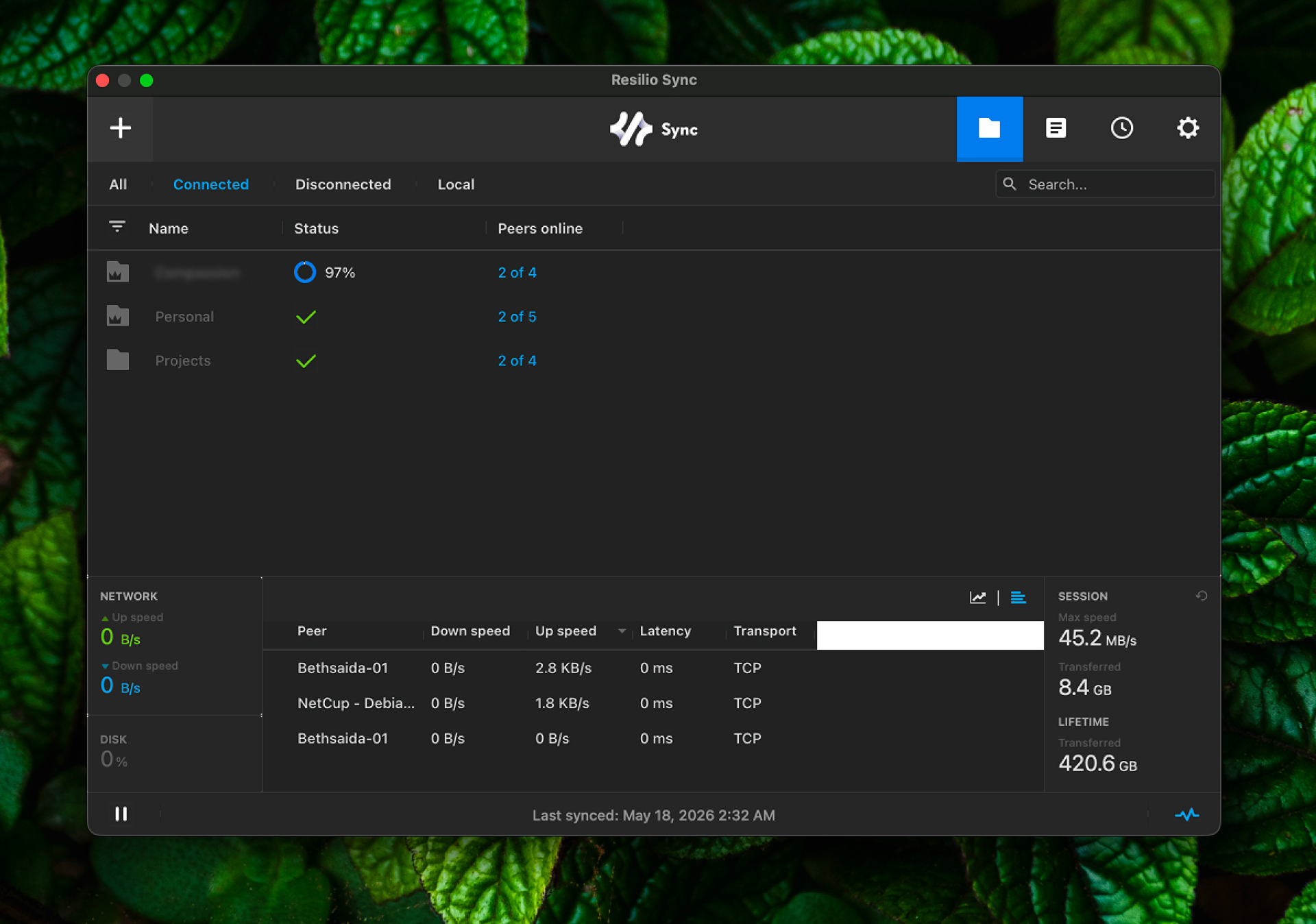
For the longest stretch of my development career, I bounced between Google Drive and OneDrive for backing up projects — design assets, source code, everything. Both eventually hit the same wall. The friction wasn't occasional; it was structural.
The Problems That Broke the Camel's Back
Slow indexing. Drop a project with ~10,000 files into a watched folder and the sync client spends an age indexing before it even starts uploading. If you've ever watched a progress bar that doesn't move for 20 minutes, you know the feeling.
No delta syncing. Neither service transferred file chunks — the whole file re-uploaded on any change. Touch one line in a 1GB archive? Full re-upload. On LTE data, that's a real problem.
New device hell. Adding a new MacBook to Google Drive and watching it attempt to sync 40GB over two days was the final straw. Two. Days.
Data sovereignty. Beyond performance, I wasn't comfortable with a third party holding my files — regardless of their security guarantees. I wanted my data on hardware I controlled, full stop.
Enter Resilio Sync
After burning through desktop sync apps that were just Google Drive wrappers in disguise, I landed on two self-hosted alternatives worth taking seriously: Syncthing and Resilio Sync.
I have nothing against Syncthing — it's solid, open-source, and well-maintained. But Resilio's interface was noticeably more polished, and it offered a proper GUI setup on Windows. As a developer who prefers a GUI for operational tooling (terminals are for code, not for babysitting file sync), that tipped the scale.
At the time, Resilio Sync Home Pro was available as a one-time payment of $60 USD (roughly 7,200 KES for a personal license). Today, Resilio Sync Home has a free tier — enough for most personal setups. If you need advanced folder permissions, device linking across all your machines under a single identity, and selective sync modes on desktop, the Pro tier is still a one-time purchase, not a subscription. For teams or production infrastructure, Sync Business carries its own separate license — worth noting if you're evaluating it for work use.
The Results Were Immediate
I replicated 40GB across three machines — an office Mac, a Windows desktop, and a personal Mac — in under four hours over Wi-Fi. A LAN cable would have made it faster.
The reason it's quick comes down to architecture. Resilio uses BitTorrent-based technology under the hood. Large files are split into chunks and synced in parallel across peers. On subsequent syncs, only the changed blocks transfer — true delta syncing, the thing Google Drive and OneDrive couldn't deliver. Multiple peers also means multiple upload sources, so you're not bottlenecked by a single machine's upload speed.
Cross-network connectivity also just works. Resilio can establish peer connections across different subnets and ISPs without manual port forwarding. Their servers broker the initial handshake via UDP relay, but your data never touches Resilio's infrastructure — it flows directly between your peers.
The VPS Chapter
Three machines syncing worked well. Then Kenya's power grid reminded me it had a say in things too.
Persistent outages meant my home machine wasn't reliably online, which created sync gaps. The fix was straightforward: a VPS that stays up regardless of local conditions, acting as a persistent peer that's always available.
First stop: Contabo. Cheap, reasonable specs on paper. In practice, the CPUs would hang unpredictably — not what you want from an always-on sync node.
Current setup: netcup dedicated server. After switching, the reliability issues disappeared. The machine stays up, Resilio keeps syncing, and I genuinely don't think about it day to day. That's the goal.
Why This Setup Still Holds Up
- P2P by design — no cloud middleman, your data lives on your machines
- Delta syncing — only changed chunks transfer, not full files
- Cross-network — syncs across different ISPs and subnets without any config
- Always-on via VPS — the dedicated server acts as a persistent peer, covering outages and offline devices
- Free to start — the Sync Home free tier is enough for most personal use; Pro is a one-time purchase if you need advanced features
If you're a developer fed up with cloud sync performance or uneasy handing your data to a third party, this stack is worth the setup cost. Skip Contabo, go straight to a reliable dedicated host like netcup, and pair it with Resilio. It's the most boring compliment I can give infrastructure: it just works.